
Reviewed · TRAVEL ESSENTIALS (SIM & PASSES)
Incheon Airport: Traveler SIM & T-money Transportation Card
You’ll land online in minutes, not hours. This Incheon Airport setup pairs an unlimited 4G LTE travel SIM with a T-money transport card so you can get moving fast after customs. The staff help you activate it and verify your data works right at the counter.
What I really like is the hands-on pick-up: the LG U+ counter staff install/activate the SIM for you and help confirm your connection before you walk away. I also love the practical combo—data for maps and messaging plus a transit/payment card that’s ready once you charge it. It’s built for real travel days, not just sitting at your hotel.
One thing to consider: the transportation card top-ups often require cash, since it may not support credit-card charging the way you might expect. If you land without cash or don’t plan a quick ATM stop, that first ride can wait a bit.
In This Review
- Key things to know before you go
- Incheon Airport SIM and T-money: the real reason this saves time
- Where to pick up your LG U+ SIM and cards at Incheon
- The activation moment: what the staff do for you
- Unlimited 4G LTE and hotspot: how you’ll actually use it
- T-money in Korea: subways, buses, and everyday payments
- How to recharge without getting stuck
- One card, two jobs
- Price and value: why $12 can be more than a discount
- Duration choice: matching the SIM to your trip length
- The phone checks that prevent 90% of problems
- Your phone must be unlocked
- iPhone 14 models bought in the US
- SIM size and setup
- Small limits worth knowing: passports and purchase caps
- What the experience feels like on arrival (the smooth version)
- Who this is perfect for (and who might want another option)
- Quick practical tips to make your first day easier
- Should you book the Incheon Airport SIM and T-money card?
- FAQ
- Where do I pick up the SIM and T-money card at Incheon?
- How much does it cost?
- How long can I choose for the SIM?
- What’s included in the package?
- Does it include hotspot and unlimited 4G LTE?
- Are outgoing calls and text messages included?
- Does the T-money card work right away?
- Can I charge the transportation card with a credit card?
- What phone requirements should I check before arriving?
- Is there a cancellation option?
Key things to know before you go
- LG U+ counter support at Incheon: staff assist with activation and quick testing so you’re online fast.
- Unlimited 4G LTE SIM with hotspot: data is meant to cover the whole trip, including tethering when needed.
- T-money for buses and subways, plus more: once charged, it also works for convenience-store purchases and certain certified taxis that accept cards.
- Incoming calls/texts included: you can be reached, but outgoing calls and texts are not included.
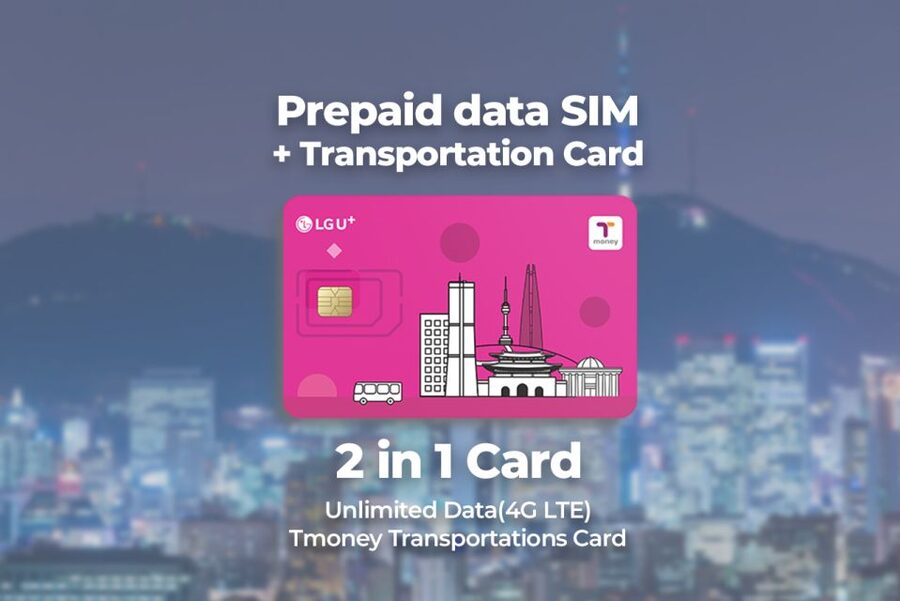
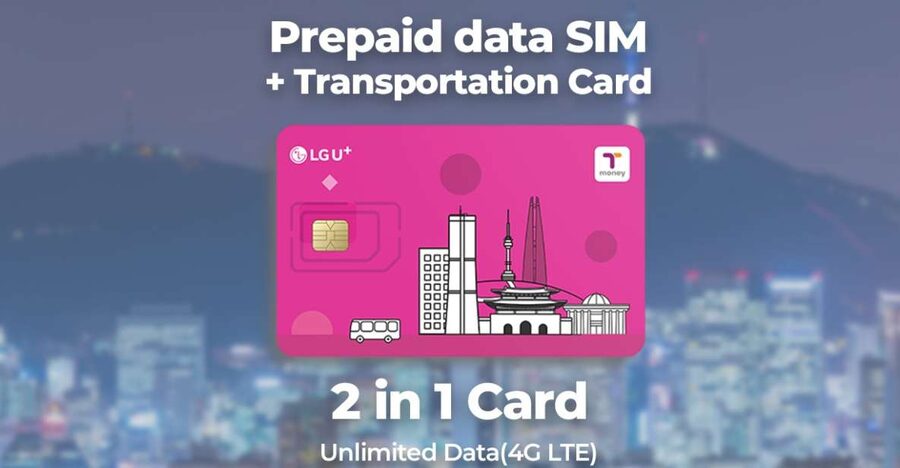
- SIM + T-money on one physical card: you don’t juggle separate cards from day one.
- Phone must be unlocked (and iPhone 14 US models are eSIM-only): check this early to avoid headaches.
Sort the practical stuff: more SIMs and city passes
- South Korea: Unlimited Data and Voice eSIM★ 4.6 · 156 reviews
- Gimpo Airport: Traveler SIM and T-money Transportation Card★ 4.9 · 33 reviews
- South Korea eSIM (3-30 days. Up to 45GB)★ 5.0 · 5 reviews
Incheon Airport SIM and T-money: the real reason this saves time
Incheon Airport can be a lot when you’re jet-lagged. The biggest win here is that you don’t spend your first hours in Korea troubleshooting a SIM card at a hotel desk. You head to the LG U+ counter in the arrivals hall, get assistance from a greeter, and leave with both data and a transit card in hand.
This kind of setup matters more than it sounds. In Korea, you’ll likely rely on transit apps, location maps, and quick translation lookups. You’ll also want to keep family and friends updated. When your phone has data from the start, getting oriented becomes a normal task instead of a mission.
The other practical win is the T-money component. Even if you mostly plan to pay with a card sometimes, having a reloadable transit option reduces friction for subways and buses. Plus, convenience stores and certain taxis can be easier with the same card once you’ve topped it up.
Where to pick up your LG U+ SIM and cards at Incheon
Your pick-up point is straightforward, but I’d plan your steps before you walk around the airport.
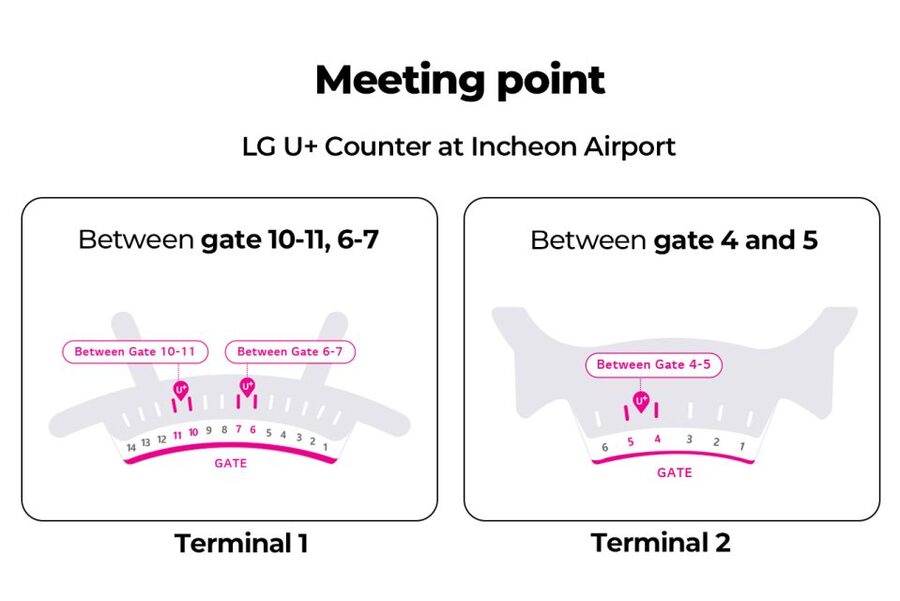
- Terminal 1: LG U+ Counter at Gate A (recommended as less busy)
- Terminal 2: LG U+ Counter at Gate F (at Gate 3–4 or Gate 4–5 areas)
In practice, you’ll want to follow the signs once you’re through customs. Several people noted the counter is easy to spot with clear airport signage, and the actual exchange desk is close to the arrival hall flow.
If you want a smoother experience, I’d aim for the Terminal 1 Gate A option when possible, since it’s specifically suggested as less busy.
The activation moment: what the staff do for you
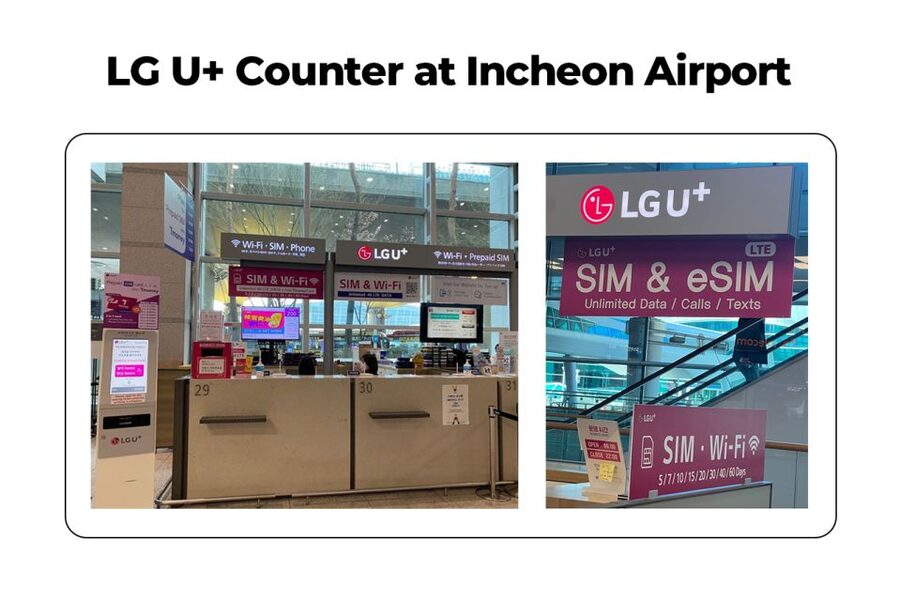
This isn’t a self-serve vending machine situation. The experience is designed around staff helping you get connected fast.
At the counter, you’ll get:
- the data SIM (nano / micro / normal supported)
- the T-money card
- assistance to activate the SIM and make sure your phone is actually getting data
People consistently describe the activation as quick—often finishing in just a few minutes. That’s the difference between arriving with a new SIM and arriving with a working phone.
Also pay attention to what’s included versus what you might assume. The package includes incoming calls and text messages, plus hotspot usage. What’s not included is outgoing calls and texts. So if you plan to use your new number to call people back, you’ll need to plan around that.




Unlimited 4G LTE and hotspot: how you’ll actually use it
The big feature is unlimited 4G LTE data during your selected duration (between 3 days and 2 months). In real travel terms, that usually means:
- maps and navigation without Wi-Fi chasing
- instant access to transit and route info
- posting photos and messaging friends without waiting
- checking email when needed
Hotspot usage matters too. Even if you’re traveling with a partner, you might want to connect a tablet or share internet with someone who doesn’t have a working phone setup yet. Since hotspot is included, you’re not limited to just one device.
Speed quality is usually the silent deal-breaker with travel SIMs. Multiple people report solid performance and stable connection. Since the counter staff test your data before you leave, you also have an immediate fix if something doesn’t connect properly on the first try.
T-money in Korea: subways, buses, and everyday payments
Your T-money card is meant to be the practical sidekick for transit and small purchases.
Once you charge it, you can use it for:
- subways and buses
- convenience store purchases
- certified taxis that accept card payments
One key detail: the card needs to be charged before you use it. So your first goal after pickup should be to get enough balance loaded to cover your first transit runs (or at least your first major ride).
How to recharge without getting stuck
Here’s the one logistical snag to plan around. Some people note that recharging doesn’t work with a credit card and you may need cash. That’s worth taking seriously because it affects whether you can top up right away.
A helpful approach:
- plan to get cash soon after arrival if you don’t already have it
- look for top-up options at places like train stations or convenience stores, which are commonly used for this kind of reload
If your goal is a stress-free first day, just assume you’ll need cash for at least one quick top-up.
One card, two jobs
In multiple accounts, the SIM card and T-money card are on the same physical card. That reduces the number of items you’re carrying and minimizes the classic travel problem of losing a small, separate piece of plastic.
Price and value: why $12 can be more than a discount
The price listed is $12 per person, with duration options ranging from 3 days to 2 months. On paper, a low price always attracts attention. In real life, what matters is whether it replaces several headaches:
1) It replaces “arrival Wi-Fi chaos.”
When your phone has data from the airport, you can confirm routes, check schedules, and message without delay.
2) It replaces “transit card shopping.”
Buying and figuring out how to use a local transit card can eat up time. The combination here gives you both data and the card right away.
3) It reduces setup risk because staff activate and test it.
A DIY SIM setup can fail because of phone settings, network locks, or wrong card size. Here, a human checks your data connection at the counter.
Could you get online cheaper? Maybe. But value isn’t only about the sticker price. Value is about avoiding wasted time and avoiding the trip-ruining moment of stepping into the subway without a working card.
Duration choice: matching the SIM to your trip length
You’ll choose a plan from 3 days up to 2 months. That range is useful if you’re:
- doing a short city trip and want basic coverage for maps and messaging
- staying longer and still want a simple “set it up once” option
The sweet spot for most first-timers is usually the shorter end, since you’re mostly trying to get through the first transit-heavy days and settle into a routine. If you’re in Korea longer, going with a longer duration can mean fewer changes and fewer opportunities for setup issues mid-trip.
The phone checks that prevent 90% of problems
Before you go, treat compatibility as your first checklist item.
Your phone must be unlocked
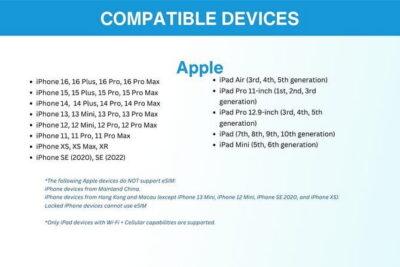
You should make sure your phone is fully unlocked with your mobile provider. This matters especially for phones from the United States, Canada, Japan, or the Philippines.
If you’re not sure, check with your carrier. If the phone isn’t unlocked, the SIM may fail to connect even if the staff activate it correctly.
iPhone 14 models bought in the US
If you have an iPhone 14 model purchased in the United States, it may not have a physical SIM tray and supports only eSIM. This means you need to confirm what setup you’ll receive and whether your device matches it. Don’t wait until you’re standing at the counter.
SIM size and setup
The SIM supports nano / micro / normal, which covers most phones. Still, your exact phone model matters, and the counter staff can help you swap/insert correctly.
Small limits worth knowing: passports and purchase caps
There’s a rule about how many times you can purchase: the maximum number of purchases per passport is 3. If you’re traveling with a group and planning multiple SIMs in the same travel party, keep this cap in mind to avoid last-minute issues.
Also note that an identity verification service is not included, so don’t plan on extra verification steps through this counter flow.
What the experience feels like on arrival (the smooth version)
From the way the counter support is described, the smooth version usually looks like this:
1) You find the LG U+ counter at the recommended gate (Terminal 1 Gate A tends to be calmer).
2) You take a number if needed and wait briefly.
3) A staff member helps activate the SIM and confirms your phone can access data.
4) You get the T-money card and guidance about charging and use.
Most people emphasize that staff are friendly and efficient. The best part is that you’re not left to figure it out alone. You can also ask quick questions on the spot, like what to do if your phone doesn’t connect.
Who this is perfect for (and who might want another option)
This is a strong match if you want:
- fast airport setup
- a working phone before your first subway ride
- a local transit card without extra planning
- reliable internet for maps and messaging
It may be less ideal if:
- you’re very sensitive to cash needs for top-ups
- your phone model has specific eSIM constraints (like iPhone 14 US models) and you’re not sure what you’re getting
If you’re a first-time Korea visitor, this is usually one of the easiest “pre-trip wins.” It takes the stress out of the first day.
Quick practical tips to make your first day easier
- Bring a little cash so you can top up the T-money card quickly if needed.
- Make sure your phone is unlocked before you fly.
- If you have an iPhone 14 US model, confirm eSIM compatibility ahead of time.
- If you plan to connect another device, remember hotspot is included.
- Since outgoing calls/text aren’t included, plan your communication methods around data apps or incoming-only use.
Also, pay attention to where you’re heading after pickup. The more you can do with a working phone right away, the faster you’ll feel like you’re in control.
Should you book the Incheon Airport SIM and T-money card?
If your goal is a low-friction arrival, I think this is worth booking. For $12, you’re not just buying data—you’re buying a guided setup at Incheon plus a ready-to-charge T-money card for transit and everyday payments. That combination saves time and reduces the risk of phone setup failure right when you land.
I’d skip it or double-check the details first if you’re unsure about your phone unlock status or you’re depending on eSIM support on an iPhone 14 US model. For everyone else, this is a practical way to start your trip online and moving.
It also offers free cancellation up to 24 hours in advance for a full refund, and it’s set up with reserve now & pay later so you can keep plans flexible.
FAQ
Where do I pick up the SIM and T-money card at Incheon?
You pick it up at the LG U+ Counter in Incheon Airport. Terminal 1 is Gate A (recommended as less busy), and Terminal 2 is Gate F at Gate 3–4 or Gate 4–5.
How much does it cost?
The price is listed at $12 per person.
How long can I choose for the SIM?
You can choose a duration from 3 days up to 2 months.
What’s included in the package?
It includes a data SIM card with unlimited 4G LTE data, a public transportation card (T-money) that needs to be charged, hotspot usage, and incoming calls and text messages.
Does it include hotspot and unlimited 4G LTE?
Yes. The SIM includes unlimited 4G LTE data and hotspot usage.
Are outgoing calls and text messages included?
No. Outgoing calls and text messages are not included. Incoming calls and text messages are included.
Does the T-money card work right away?
The T-money card needs to be charged before use.
Can I charge the transportation card with a credit card?
The information provided indicates you may need cash for recharging, since it can be difficult or impossible to recharge with a credit card.
What phone requirements should I check before arriving?
Make sure your phone is completely unlocked with your provider. Also note that iPhone 14 models purchased in the United States don’t have a physical SIM tray and support only eSIM.
Is there a cancellation option?
Yes. You can cancel up to 24 hours in advance for a full refund.
More Tour Reviews in Seoul
- Best DMZ Tour Korea from Seoul (Red Suspension Bridge Optional)★ 5.0 · 41,422 reviews
- DMZ Tour: 3rd Tunnel, Option(Suspension Bridge, Boat) from Seoul★ 5.0 · 21,373 reviews
- DMZ tour south Korea from Seoul (NK experience hall, defector)★ 5.0 · 20,599 reviews
- Seoul: DMZ Tour with Optional Suspension Bridge★ 4.8 · 5,277 reviews
- Seoul: DMZ The 3rd Tunnel and Suspension Bridge Tour★ 5.0 · 4,656 reviews
More Seoul Travel Essentials
- South Korea: Unlimited Data and Voice eSIM★ 4.6 · 156 reviews
- Gimpo Airport: Traveler SIM and T-money Transportation Card★ 4.9 · 33 reviews
- South Korea eSIM (3-30 days. Up to 45GB)★ 5.0 · 5 reviews
Just added to Exploring Seoul






Travel Essentials (SIM & Passes), compared.
 ★ 4.6South Korea: Unlimited Data and Voice eSIMFrom $8156 reviews
 ★ 4.9Gimpo Airport: Traveler SIM and T-money Transportation CardFrom $1233 reviews
 ★ 4.5Korea SIM Card with SKT Unlimited Local Data & Voice CallsFrom $79 reviews
 ★ 5.0South Korea eSIM (3-30 days. Up to 45GB)From $55 reviews
Browse the lists this tour appears in